Wednesday, 14 March 2012

Skeptic Week - On iPads in edu

In the second installation of my skeptic reflections, I'm talking about the use of iPads (and other gadgets) in Education.


Well, I suppose I'm not skeptical about the potential, but rather many of the initiatives - you've probably seen some yourself. They go along the lines of, "Wow, look, we're buying all students an iPad. Aren't we fantastic."

Some people actually think simply buying the devices will revolutionise learning and teaching, or magically solve student satisfaction for NSS. Well, I hate to burst the bubble, but they won't!

You see, you can't throw money at a problem and expect it to go away. Just as you can't cover up a rotten building with some fresh plaster board, you similarly can't easily renovate fundamental problems in HE by dishing out iPads. Instead, just as a building project needs expert review and planning (in the shape of architects, builders and interior designers), so to does educational renovation (in the shape of academic rationale, strategic planning and learning technologist support).

Now iPads do have potential, a lot of it. But please think about what they will be used for before buying them.

Here at MMU there has been an interesting project in Health where students were handed iPads during classes to follow along with slides and access specific links, which then served as the spark for in-class discussions and problem solving. Early feedback suggests students really enjoyed this type of work, as they were more active in the class opposed to traditional passive approaches. Keep an eye out for Hannah Crumbleholme doing the conference circuit on this...
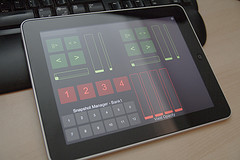
And this is only the beginning. There are a range of dedicated apps to support learning and teaching. There are History apps, Astronomy apps, Anatomy and Physiology apps, and a range game-based learning apps. iPadsInEducation is an interesting site that recommends apps based on subject areas. And then there's the potential of iTunesU - something I also mentioned as part of my post on the Open Content Movement.

I also recently came across the Socrative Teacher app; a great looking 'Smart Student Response System' that might replace clickers/voting response systems.

Unfortunately, there is no particularly good iPad app for the version of Moodle we run here at MMU (1.9), but there is for Moodle 2.0 onwards - something we'll likely benefit from next year. Other VLE's such as Blackboard, have great dedicated apps for mobile learning, which enable learners to access content, videos, and engage in discussions, blogs, etc.

Other interesting stories related to iPads include a recent article highlighting an Air Force are ditching paper manuals in favour of iPads, or The School that Gives all Students an iPad. A sign of the times?

What do I use?

I bought the original iPad on the day it came out, and despite being an Apple fan boy, I see no reason to upgrade to the iPad 2, or The New iPad. Sure the graphics, memory and screen are much improved, but they were pretty decent to start out with, and more than sufficient for how I use it.
So how do I use it? Well;
  • I have the Reader and Flipboard apps which allow me to view the range of RSS subscriptions (blogs and journals generally).
  • Evernote is a great app for taking notes in meetings (or lectures) and syncs with the desktop (and iPhone) counterparts. You can even take photos and search the text within them, say, of whiteboards and flip charts, etc.
  • Dropbox is another must-have. I have tons of files in dropbox which syncs across computeres, laptops, and mobile devices, and accessible on my iPhone and iPad.
  • Goodreader has proven very useful for reviewing files like journal articles. It syncs with Dropbox and enables highlighting and commenting on PDF files.
  • Blogger, well, to blog :-)
  • TED offers a wealth of videos from thought leaders to get you thinking - perfect for train journeys or when you have a few minutes to spare.
  • eReader apps such as iBooks and Amazon Kindle, which are great for reading electronic text books.
  • The built in Reminder app is great as it syncs with my Mac Mail/Calendar accounts
  • In terms of editing documents, you obviously have Apple's own apps such as Pages and Keynote, but I have recently stumbled upon CloudOn, a handy tool for syncing with Dropbox (and other services) and editing word/excel files. 
The list could go on and on - detailing apps, methods and workflows that have transformed my daily routines, but I'll hand over to you. What apps do you use, or are you involved in an iPad Project involving students? Answers on a postcard...

Image of Students with iPad licensed under CC-BY from Flickr user Flickingerbrad
Image of iPad licensed under CC-BY from Flickr user Jaymis
Creative Commons License
This work by Peter Reed is licensed under a Creative Commons Attribution-NonCommercial 3.0 Unported License.

Monday, 12 March 2012

Is OER mainstreamed and sustainable?

I should state before I even get started on this post, that I am a big advocate of openness; I have managed a JISC-funded project on OER and am currently researching aspects of the 'movement'. However, this is the first post in a series that I'm calling 'Sceptic Week' (a few posts that will critically reflect upon and question movements that I fully support). So, without further ado, this post will question two common tenets: mainstreaming and sustaining...

Last week I flicked through the (most recent) 2012 Horizon Report (a report which 'predicts' the latest technologies and their 'time to mainstream adoption'), and recall Open Content featuring in the 2010 report (that's 2 years ago) as a movement to reach mainstream adoption within a year or less i.e. last year. With my sceptic hat on, I questioned the Twitterverse if OER had indeed become mainstream. A resulting discussion/debate is what led me to writing this.

There will always be societal influences in education - sharing locally amongst academic colleagues, has, is, and probably always will take place. Viv Rolfe (from DMU) and myself are both interested in the current awareness and attitudes towards OER; both my article (submitted to Research in Learning Technology) and Viv's 2012 article (in the same journal) demonstrate that teaching staff are sharing content on an informal scale with colleagues within department/faculty, but they are not applying (creative commons) licences or sharing via repositories.

Without doubt, this needs to change if the movement is to scale and have a significant impact, and for me, one of the major challenges to the Open Content Movement is in embedding 'open practice' as 'standard practice' amongst academic staff, if it is to continue beyond funding activity.

But what counts as 'significant impact'? Well, it's probably a subjective metric - one might see the movement's influence on an individual teacher/lecturer as being significant, whilst others may want more 'bang for their buck'. I'm of the latter, and whilst the big players such as MIT OCW and the OU OpenLearn demonstrate significant access/download/sign-up figures,  the OpenLearn Research Report (McAndrew. et. al, 2006-2008) - all be it a few years old now - highlighted that we don't know how much 'reuse' is actually happening.

Instead, I see the success of such movements when they become mainstream.

Aha, another word of subjectivity - Mainstream!
"Mainstream is, generally, the common current thought of the majority" (Wikipedia article on 'mainstream')
Whilst many HEIs in the UK have some OER activity, to me, OER becoming mainstream means that not only are a select group of people within institutions engaging (and probably as a result of funding), but the majority of staff engaging from the majority of institutions.

And by engaging, I don't mean letting my friend use my powerpoint slides, I mean formally licensing and sharing via a repository - Schaffert & Geser (2008) suggest if something is to be open, it must subscribe to 4 elements: Open Licensing, Openly Access, Open Software and Open Format. This is quite a strict viewpoint, whereas Hilton et. al. (2010) suggest;
"Openness is not like a light switch that is either ‘on’ or ‘off’. Rather, it is like a dimmer switch, with varying degrees of openness” (Hilton et. al, 2010)
Either way, both Viv's and my own research highlights that the current informal sharing isn't really 'open' (in the strict sense of the word), or even if we consider varying degrees of openness, it demonstrates such a dim view the light switch may as well be off.

This takes me on to my second point - sustainability.

For as long as it requires extra workload and/or time, the chances of mass sharing of resources will be slim, especially in a era where wanting 'more for less' is prevalent. And sharing content is often more time consuming - not just the process of uploading a file to a repository, but inevitably (and rightly or wrongly) the stakes related to QA increase. Staff might be willing to use their own materials in class, but the thought of sharing those materials 'as is', can be daunting.

So whilst there are resources, workflows and development tools available, I just don't see mass engagement when funding ceases. Many authors suggest barriers that must be overcome, such as reward mechanisms and licensing - I agree that until HEIs strategically focus on OER for OER-sake, which will come at a cost, it can't reach mainstream, after all, would the breadth of institutions currently engaging with OER be the same if JISC/HEA funding wasn't so plentiful?

With these questions out in the air, I must once again repeat my 'allegiance' to the 'Movement' (no this isn't a Star Wars film), but in doing so, I must also critically reflect on my academic activities, and in an era of openness, share my questions. I am not so dogmatic to believe I am 100% correct on these points,  and accept that my views could be a 'glass-half-empty' stance, but I only hope they spark a debate.

References
  • Johnson, L., Levine, A., Smith, R., & Stone, S. (2010). The 2010 Horizon Report. Austin, Texas: The New Media Consortium.
  • McAndrew, P. et al. (2006-2008) OpenLearn Research Report.Milton Keynes, England: The Open University. 
  • Rolfe, V. (2012). Open educational resources: staff attitudes and awareness. Research in Learning Technology, 20(1063519), 1-13. doi:10.3402/rlt.v20i0/14395
Mainstream image under CC-BY License from Flickr user Michael Karshis
Creative Commons License
This work by Peter Reed is licensed under a Creative Commons Attribution-NonCommercial 3.0 Unported License.

Thursday, 8 March 2012

The importance of reflecting for, in, and on learning

How often do you take time out to reflect on the day's activities? Sometimes I find I haven't had time to think back about anything until the moment my head hits the pillow.

Well our students are just the same, only more often than not, they are not as experienced at understanding themselves and their actions. This is true not only of their day-to-day lives, but also in reflecting on their learning. And regardless of our teaching philosophies, whether we espouse Social Constructivist approaches or 'newer' models such as 'Connectivism' or 'Connected Learning', students can still attend lectures and lab sessions but not necessarily situate that learning in the wider context, or consider its practical application. Learners do not necessarily, and certainly not automatically, realise their tacit understanding, or engage in deep and meaningful learning.

Engaging learners in critical and transformative reflection therefore, is a key skill across many disciplines (see Schon, 1987; Driscoll, 1994; Brookfield, 1995; Fry, et.al, 1999; Johns, 2005; Biggs and Tang, 2007). The various models of reflection (which will seem common in teacher training or in healthcare),  encourage learners to reflect on solid experiences, but we can quite easily adapt these or create new models to encourage reflection on various topics. For example, I recently created a set of Heuristics (strictly speaking that's for (software) Evaluation), but they supported learner's reflection on coursework, and required them to score each Heuristic with either 0, 1 or 2 points. What's good here, is that the scores are not being assessed, but the reflections. To make this really 'transformational', I could get students to do this reflection before assessments, in order to enable 'feedforward' into other coursework pieces (see, I'm reflecting on my teaching whilst blogging about reflection).

You see, reflection is often emphasised in the vocations I mentioned above, but as far as I am concerned, everyone in every discipline should be reflective practitioners in order to continually improve in whatever job they do.

The technology to support such critical and transformational learning, is in abundance; generally the VLE (whether that's Moodle, WebCT, Blackboard, Sakai, or some other platform) offers a range of tools such as discussion forums, blogs, wikis and private journals. And if those tools aren't suited, free tools on the web might solve the problem - you can use BloggerWordpress or Posterous to create free blogs, and the likes of PBWorks to create wikis. Or even use YouTube as a way to record thoughts and reflections and share with peers (or even a global audience - I do this regularly; not in relation to learning, but rather my beloved Everton FC). None of these are technically difficult at all. No, really!

It is important to recognise however, that the technology is not the key player in encouraging reflection, meta-cognition or deep learning. It's probably the least important. Rather, we need to introduce learners to the concept of reflection beyond a basic recount of a situation, and provide a structure for them to engage thoughtfully. Technology comes in to support these processes and encourage learners to capture reflections anytime, anywhere. More open methods of sharing such reflections - think YouTube, Vimeo, or online Communities of Practice - enables learners to become creators of knowledge as well.

This concept of reflection, leading on to the construction and sharing of knowledge, reminds me of a quote from John Seeley Brown's recent keynote - Cultivating the Entrepreneurial Learner in the 21st Century - at the Digital Media and Learning (DML) 2012 conference;
"In a world of constant flux learning has as much to do with creating the new as learning the old and hence the tacit starts to take on increasing importance."
For me, taking the time to think about where we are, what we're doing, and how things could be different (better?) is critical to enhance learning and contribute to the creation of new knowledge.

What methods do you employ to encourage students to take stock of learning, sit back and reflect? What technologies do you use to support and encourage this?


Creative Commons License
This work by Peter Reed is licensed under a Creative Commons Attribution-NonCommercial 3.0 Unported License.

Monday, 5 March 2012

Introduction to the Open Content Movement

Whilst many people may not actually be aware of the 'Open Content Movement', I am sure you will be familiar with its practice, and some of the leading players.
“Open Educational Resources are digitised materials offered freely and openly for educators, students and self-learners to use and re-use for teaching, learning and research” (HylĂ©n, 2006)
Some of the key players in this movement include MIT with their OpenCourseWare site, or more closer to home, the Open University OpenLearn site. This has been supported by the free Creative Commons licenses, which are critical to the movement - I have blogged an intro the CC licenses here.

Arguably spurred by this, others are getting involved - the movement is supported by Institution's own open content repositories such as OpenLearn (above), Nottingham's U-Now site, and Oxford's OpenSpires Podcasts (amongst others). Jorum is also a significant resource - a central national repository for learning objects, where all funded outputs related to JISC funding should be stored. Then there is the likes of iTunesU, which contains a ton of materials available for learners to study independently, and for teachers to reuse.

But the sharing of educational resources is not a new phenomenon - teaching staff have been sharing PowerPoint presentations and OHPs for many years. Such materials are now considered OpenCourseWare (OCW), Open Content, Open Educational Resources (OER), or even Reusable Learning Objects (RLO).

These historical habits of sharing teaching resources are still present today - such 'informal' sharing has been identified in relation to digital materials, where teaching staff are happy to share locally, on a small scale (see Rolfe, 2012 in Research in Learning Technology). Scaling this is a major threat to the sustainability of the Open Content Movement - for as much funding that has, and will be pumped in to support and develop engagement with Open Content, embedding this as standard practice is vital otherwise participation on large scales will likely fall away when funding activity eventually ceases.

Want to see/learn more?

A key area to learn more about OER would be the OER infokit, and below is a short video to demonstrate how you can search Google for open content.


What's happening locally?

Well, Dawn Nicholson has recently been successful in a bid to run a two year HEA-funded project aimed at creating, evaluating and disseminating Open Educational Resource aimed at Level 5 and 6 learning in Applied Geomorphology. Topics will be finalised early in the Project but are likely to include applications of mass movement and weathering, fluvial systems and hydrology, applied geomorphology in cold environments, soil erosion and arid zone geomorphology, geomorphology in resource management, engineering applications of geomorphology, and risk analysis and hazard assessment.

If you are interested in engaging with the Movement, why not give me (or Dawn) a shout to learn more.


Creative Commons License
This work by Peter Reed is licensed under a Creative Commons Attribution-NonCommercial 3.0 Unported License.

Friday, 24 February 2012

Using Flickr to share images

Last week a student asked me if there was any central repository of images of the University (buildings, lecture theatres, labs, etc) that can be reused and embedded into coursework. I'm not sure if there is, so thought we could start one ourselves, which would help them, but also help many other students. It might also educate them a little around issues to do with copyright, and in particular, the Creative Commons licenses (I've done a separate post about CC here).

So Flickr has many facets: Sets, Groups, Gallaries, etc. I have opted to create a Public Group (although you can have different permissions, such as 'invite-only groups' if you want something a little more private), and I am the lead Moderator and Administrator for the group - if needed, it's easy enough to give other people Moderator access as well.

Students can easily join the group - Multimedia @ MMU - from the group page: http://www.flickr.com/groups/mmu_mm/ (the URL is customisable). Once part of the group, members can then upload their own photographs to the 'Group Pool'.

Easy!

I have then used FlickrSlidr, a simple 3rd party tool to embed a slideshow of the images into my Moodle area. All in all, it took me about 45 minutes, and that included researching the different aspects of Flickr as I'm not really a power user! Take a look at the slideshow below - bare in mind it's only just been created, so will hopefully start to develop over the next few weeks.


Created with Admarket's flickrSLiDR.

I mentioned the Creative Commons licenses above - they are gaining increasing attention with the significant investment into Open Education Resources across the sector (but that's a separate post). I took a short time in class to introduce the concept of Creative Commons to students, and encouraged students to make the Creative Commons Attribution license the default for photographs they upload to Flickr (can be applied from their account preferences). This means they can be searched for from Flickr's dedicated Commons pages, and can be reused by anyone, as long as they attribute the original author.

I'm happy for other staff/students to join the group and participate in building or reusing the images we generate, and of course if you're interested in implementing this yourself, I'm happy to lend a hand.

Are you doing anything interesting related to sharing images or any other works amongst students? If so, leave a comment.

Creative Commons License
This work by Peter Reed is licensed under a Creative Commons Attribution-NonCommercial 3.0 Unported License.

An intro to the Creative Commons licenses

As Steve Wheeler suggests, people think that because the Web is open, everything within it is available to reuse for free, but it's not. Copyright is a really difficult concept to fully understand, however the Creative Commons licenses make things a little easier for us lay-people.


The Creative Commons licenses (also part of a Copyleft movement) were introduced to support the sharing and 'remixing' of creative works (images, video, educational content, music, etc). Sites like YouTube, Flickr, Wikipedia and Vimeo encourage Creative Commons licensing - meaning there are now millions of assets licensed using the 4 key principles of Creative Commons;
  • Attribution - you must acknowledge the original author
  • Share-Alike - if you want to share a remixed version, it must equal the original license
  • No-Derivatives - content can be reused 'as is', but cannot be broken down or remixed
  • Non Commercial - cannot be used for commercial gain (Education use doesn't count as commercial here)
The Principles can be put together to maintain more control over works, i.e content that cannot be used for commercial gain and cannot be edited or remixed; or authors can be more relaxed by simply using the Attribution principle alone.

It's probably fair to say the Creative Commons has both supported the development, whilst being generative of, the Open Educational Resources (OER) Movement. This has resulted in a wealth of educational resources that can be freely reused or remixed. The Joint Information Systems Committee (JISC) and the HEA have funded a range of projects to stimulate the development of OER, which in turn has enhanced Jorum - a UK repository for teaching and learning content (licensed with Creative Commons). It is through such funded projects (JISC ReProduce Programme) that I first became involved with OER and learned more about the Creative Commons.


So how might it help you? 

Simple!
Even with the strictest of licenses, you can reuse the content for free in your teaching, as long as you attribute the original author. More often than not, you can download the content and upload (or link) from your Moodle units.

It's possible to search for CC licensed objects from;
  • The Creative Commons Search page (obviously), and...
  • Google's Advanced Search option includes filtering to allow searching for objects licensed by Creative Commons (including  images). The short video below runs through the steps of using Google Advanced Search (the video itself is of course licensed with the Creative Commons Attribution licence (CC-BY)). 


Other well known (content-based) sites support Creative Commons by making whole courses available for reuse, such as;
More recent start-ups such as Khan Academy also include a wealth of videos (and other materials) under categories of Math, Science (inc. Comp Science) and Humanities. Furthermore, Flickr have a dedicated area for searching for Creative Commons images - something I have been introducing to my students recently.

Watch out for the Creative Commons and Open Education, they are both growing!!!

More locally to MMU, we have Equella - a digital repository to house teaching and learning content. To engage in sharing across the University, this could provide an interesting platform, as it is searchable. If you are interested, please do get in touch.

Creative Commons License
This work by Peter Reed is licensed under a Creative Commons Attribution-NonCommercial 3.0 Unported License.

Tuesday, 21 February 2012

Critiquing Mayer's Multimedia Learning...

'Instructional development is too often based on what computers can do rather than on a research-based theory of how students learn with technology’

The quote above comes from Richard Mayer discussing Multimedia Learning: someone widely cited in eLearning publications, and whose work I have wanted to read in more depth for a long time. Having done so in recent weeks, I have had various thoughts about his Multimedia Learning and Generative Theory....


Some background info

Mayer advocates cognitive approaches to learning, and identifies Dual Channels for information processing in humans - a visual channel (to process images, animations, etc) and a verbal channel (to process written and spoken words, etc). The cognitive phases Select information for processing by the dual channels; Organise verbal and visual representations; and finally Integrates, or builds connections between verbal and pictorial models with prior knowledge.

His research supports this notion, suggesting targeting both channels can increase learning (defined as applying creative solutions to problem solving) by 50%. In developing multimedia resources for learners, Mayer suggests three critical principles for reducing cognitive load, assisting human's limited capacity for information processing, and to encourage effective learning and knowledge construction:

Spatial contiguity: learning is more effective when words and images are presented closer together
Temporal contiguity: learning is more effective when words and pictures are presented simultaneously
Modality contiguity: learning is more effective when verbal information is presented auditory with pictures, over text with pictures. However, if there are no images/animations, text with audio narration can still target the dual channels.


This is certainly interesting for anyone developing online/multimedia learning materials, and something I will personally consider more thoughtfully. However.....

Concern 1: Classroom teaching 

In 'The Promise of Multimedia Learning', Mayer alludes that multimedia learning is more effective than learning within a classroom, suggesting it is a 'single-medium' presentation; that is, relying solely on words - the verbal channel.

However, I can't help but feel this is a misguided representation on classroom learning - it doesn't account for the variety of innovative approaches that can be utilised within the classroom. Social, experiential, problem based, and technology-enhanced approaches can all make for effective learning experiences within the classroom. For example, in learning the workings of a bicycle pump, Mayer suggests descriptive images/animations supported with audio is most effective, but doesn't consider the potential learning experiences if students could actually use the pump in real life, and dismantle it to see the inner workings.

Whilst I advocate the multimedia approaches, I think it is important educators don't get carried away with suggestions like this, and do actually challenge pre-existing presumptions of student learning. For as great as it is, multimedia (and eLearning in general) is not a panacea or answer to solve every learner's problems!

Concern 2: Learning in isolation

Such Multimedia 'packages' suggest we learn in isolation i.e alone. Does Mayer recognise the importance and potential of social learning? Or does he refute it? Embedding such content within a VLE can offer a range of social possibilities through the use of discussion forums, chat and web conferencing, to share experience and help construct knowledge and meaning.

Concern 3: Subject matter

Mayer suggests;
‘Contiguous presentation of visual and verbal material may be most important when the material is a cause-and-effect explanation of a simple system, when the learners are inexperienced, and when the goal is meaningful learning’
So this therefore raises questions of transferability. Will following his principles for other situations, such as learning about 19th century literature, produce the same outputs? What if there are no cause-and-effect explanations to draw upon?


Concern 4: Freedom

In Clarke and Mayer (2011), the authors suggest;
"Because the metaphor of the Internet is high learner control, allowing learners to search, locate, and peruse thousands of Internet sites, a tempting pitfall is to create highly exploratory learning environments that give learners an unrestricted license to navigate and piece together their own unique learning experiences. One lesson we have learned from over fifty years of research on discovery learning is that it rarely works."

But this flies in the face of much of the current thinking around encouraging learners to search, find, review and select appropriate information. Michael Wesch is a popular figure advocating such skills, and a diverse bank of research into tools such as Second Life and digital literacies would equally encourage such discovery approaches.

Should we spoon-feed our students or provide a structure to enable them to solve problems and find certain things out for themselves? They won't be spoon fed in the world of work, so failing to prepare them here, is preparing them to fail in the real world!


Conclusions

I think the essence of Mayer's work stands true, and does have a place in education today. For example, I see the development of reusable learning objects as a clear area that could benefit from insight into Mayer's research, taking note of contiguity effects to reduce cognitive load. However ultimately, these objects might be repurposed and placed alongside other materials and activities to encourage a more holistic learning experience.

In relation to RLOs (and that will take it's own post completely at some point), Windle et. al (2011) suggests learners value self-assessment; self paced learning; and use for revision of 'difficult' areas - together then, we can obtain a clear picture or framework for developing reusable content.


I'd love to hear your thoughts on the above, so please get in touch either in the comments, by email or on twitter.

Peter (@reedyreedles)

References

Mayer, R. E., & Gallini, J. K. (1990) When is an illustration worth ten thousand words? Journal of Educational Psychology, 82(4), 715-726. doi:10.1037//0022-0663.82.4.715

Mayer, R. E. (1997) Multimedia Learning : Are We Asking the Right Questions ? Educational Psychology, 32(1), 1-19.

Mayer, R. E. (2003) The promise of multimedia learning: using the same instructional design methods across different media. Learning and Instruction, 13(2), 125-139. doi:10.1016/S0959-4752(02)00016-6

Mayer, R. E., & Moreno, R. (2003) Nine Ways to Reduce Cognitive Load in Multimedia Learning. Psychology, 38(1), 43-52.

Windle, R. J., McCormick, D., Dandrea, J., & Wharrad, H. (2011). The characteristics of reusable learning objects that enhance learning: A case-study in health-science education. British Journal of Educational Technology, 42(5), 811-823. doi:10.1111/j.1467-8535.2010.01108.x

Creative Commons License
This work by Peter Reed is licensed under a Creative Commons Attribution-NonCommercial 3.0 Unported License.

Wednesday, 8 February 2012

Getting the most out of Moodle

Moodle has a myriad of tools available that can help you do things more efficiently and effectively. In this post I hope to give you a taste as to how I have used Moodle to aid in some day-to-day activities for the units I teach on....

On a basic level, I have used the Week 0 area to include contact details for staff and a brief introduction to the unit. Within each week, I write a short paragraph to introduce the topic, and make materials (ppt slides, lab sheets, book chapters and web links) available under Labels for 'Resources to accompany the Lecture', Resources to accompany the Lab Session', and 'Further Reading'.


Further to that though, Moodle can help in lots of ways:


Announcements

Announcements are a great way to post a message to all staff and students on a unit, with the added benefit of sending the message as an email for those users who don't log into Moodle every day. I have used this to remind students of deadlines, inform them of tutorial availability, and give notice of room changes.


Equella 

Delivering larger files to students, such as Screencasts, can often be difficult due to file-sizes, etc. Equella - the Institutional Repository (collections.mmu.ac.uk) - enables us to store the files outside of Moodle, which saves space in Moodle and allows the video (screencast) to play automatically when students click on the link.


Labels

Also, as we can easily edit the HTML content within a Label, I have taken the embed code from the likes of YouTube and Adobe TV to make short videos available to students without leaving Moodle.


Assignments

The coursework for one unit is a group-based assignment, requiring students to apply for a particular role within a group. We made sample Job Descriptions available for students and required them to submit their 'application' through the Assignment Tool (Advanced Uploading of Files).
I have also used this tool to receive coursework (part 1) submissions, return a feedback sheet and apply a Grade.


Group Forums

Having processed the applications, we placed students into Groups, and created Group Forums to allow them to communicate, plan group meetings and share progress, etc. There are also class forums encouraging students to reflect on content and share thoughts and opinions with the wider group.


Sign-up Sheets (Choice Activity)

We have followed the groupwork up by holding group tutorials to review progress and discuss any issues, etc. Groups were required to review available slots, and Team Leaders sign up to their preferred slot using the Choice Activity tool. This enabled me to provide a number of options (day/time slots) and limit the response to 1, to ensure we don't have any double bookings.


Quiz

In another unit, I have implemented a short formative Quiz to test knowledge of some of the basic features of Adobe Flash. I found that the various question types, as well as providing further information through images, helped liven up the quiz.


What about you?

I have only mentioned a few of the Moodle tools. What tools are you using (or would like to use) in order to make things easier or enhance learning and teaching?


Creative Commons License
This work by Peter Reed is licensed under a Creative Commons Attribution-NonCommercial 3.0 Unported License.

Monday, 6 February 2012

Linking (digital) Literacies

Recently I've been thinking about a couple of issues that are somewhat interrelated, so thought the best way to clarify my thinking was to blog and try to link the thoughts together...


With the talk of introducing computer science in schools, there has been the argument that we should be developing learners' digital literacy skills either as well as, or instead of, hard programming skills, etc - after all, and as Josie Fraser articulately suggests, Computer Science is not Digital Literacy. Doug Belshaw continues in a similar vein suggesting we 'Resurrect Computer Science, but don't kill off ICT'.

With the talk of Digital Literacy fresh in mind, I revisited Guy Claxton's (2007) article in the British Journal of Educational Studies - 'Expanding young people's capacity to learn'. Claxton suggests 'learning to learn' is a primary aim of education, and quotes the likes of Sir Richard Livingstone (1941) in that;
"The test of successful education is not the amount of knowledge that pupils take away from school, but their appetite to know and their capacity to learn".
Livingstone's premise is inexorably intertwined with Sarah Knight's take on digital literacy - "those capabilities that equip an individual for living, learning and working in a digital society". Similarly, Steve Wheeler suggests we redesign learning in a digital world, encouraging transferrable skills such as 'adaptability, change management, creative problem solving, collaboration and a range of digital literacies that will enable them (learners) to meet any challenges head on'.

So far, we're all singing from the same hymn sheet, right?

Now, of the various blogs and articles, Helen Beetham's post 'Design or be Designed For' is one of the few to link learners' (digital) literacies with those of the teachers, suggesting it is (or at least should be) an integral aspect of their professionalism. After all, with the talk of developing digital literacies in pupils/students, it must surely require a certain prerequisite of such skills within/of/by the teacher.

What's important here, is that I don't believe these digital literacies should be packaged into Computer Science or ICT classes alone, but rather embedded as 'epistemic culture change', i.e. discussed, understood, and systemically strengthened (or infused) throughout the education system, and as an integral part of all subjects.

So exactly what skills/competencies (or whatever other word one might apply) would be required on the part of all teaching staff then?

My thoughts on this took me back to the controversial debate that won Edublog'a Most Influential post of 2007 by Karl Fisch - Is it ok to be a technologically illiterate teacher? Fisch hits the nail on the head by suggesting;
In order to teach it, we have to do it. How can we teach this to kids, how can we model it, if we aren’t literate ourselves? You need to experience this, you need to explore right along with your students. You need to experience the tools they’ll be using in the 21st century, developing your own networks in parallel with your students. You need to demonstrate continual learning, lifelong learning – for your students, or you will continue to teach your students how to be successful in an age that no longer exists.
Indeed there is something very 'Ken Robinson' about this statement, but nevertheless on point. Given that roughly 90% of UK jobs require some IT competency, teachers should not only be 'digitally literate' (whatever that may mean), but also practice effective use of technology in their teaching.

So what should all teachers 'know'? What should all teachers be able to 'do'? And do you agree with Fisch's most controversial statement;
'If a teacher today is not technologically literate - and is unwilling to make the effort to learn more - it's equivalent to a teacher 30 years ago who didn't know how to read and write'.
Answers on a postcard (or in the comments to the post)...


Creative Commons License
This work by Peter Reed is licensed under a Creative Commons Attribution-NonCommercial 3.0 Unported License.

Thursday, 2 February 2012

Technology Enhanced Learning Workshops

To date, most of the training sessions have been focussed around the technical aspects of how to do certain things in Moodle. Whilst there is an ongoing requirement for such training, many staff are ready to move beyond the basics and consider specific pedagogical approaches. For example, my recent blog post on 'The Flipped Classroom' (link) discusses an interesting approach to delivering the 'chalk and talk' elements online, freeing up time for more collaborative work in class.

To this end then, whilst some sessions will retain their 'procedural' elements, some will also be more thought provoking and attempt to apply theory and research to practice.
You can book your place on any of the sessions using the Eventbrite booking system below. If the dates are not convenient please let me know the sessions you would be interested in attending, and I would be happy to run them again. Also, if course teams are interesting in specific topics, I would love to help!

The next block of sessions include;

Basic Moodle Training - ideal for new staff or for those that just want to recap on the basic workings of Moodle. This session will reinforce some of the good practice elements we have looked at in other sessions.
When: 15th February, 12-1pm

Online Submission and Marking using Turnitin - many staff are keen to use Turnitin to create 'originality reports' for student assignments, but did you know you can use the Grademark features to actually leave feedback and grades online? This session will cover all of these aspects and will be of interest to any staff looking to implement online submission in their units.
When: 16th February, 12-1pm

Using Multimedia Resources in Teaching and Learning - Introducing multimedia resources can serve a number of objectives. Not only can it more suitably cater to different learning styles in the VARK spectrum, it can be used strategically to deliver instructive materials online, freeing up time in class (as discussed in the post about the Flipped Classroom). Furthermore, the use of video clips, screencasts and podcasts can provide a much-needed source for students to revisit in order to refresh and clarify understanding.
This session will discuss the various options available, including the services available openly on the web as well as those 'in-house', and provide the basis for specific one-to-one support to develop multimedia materials.
When: 21st February, 1-2pm

Introducing Online Social Constructivism using Discussion Forums -  the general accepted model of learning in contemporary education is based on social theories (Vygotsky), whereby the development of knowledge and understanding is most effective by reflecting on course content and personal experiences, and by sharing this and reflecting on the experience and understanding of others.
This session will consider how we can utilise discussion forums in Moodle to encourage student collaboration and cooperation in the online space.
When: 22nd February, 12-1pm


Using Quizzes for Formative and Summative Assessment - For some time, staff have been implementing online quizzes as both formative and summative assessment. This session is of interest to anybody looking to introduce these quizzes in their units, and will cover the basics of building a database of questions and randomly adding a number of questions to a quiz. We will also cover pre-requisites for setting up summative online quizzes.
When: 1st March, 12-1pm

Encouraging Reflection through the use of Blogs - reflecting upon topics is a great way for learners to personalise and 'internalise' concepts. Dedicated reflective activities using blogs can be a great development opportunity for learners and can even provide the basis for an ePortfolio.
This session will introduce models for reflective practice and introduce the technical aspects of creating a blog.
When: 7th March, 12-1pm

Introducing the concept of Open Education Resources - In recent years the HEA and JISC (Joint Information Systems Committee) have funded a number of projects to stimulate participation in the Open Education 'movement'. Academic staff often share resources informally amongst colleagues, whether that be full powerpoint slides or a video of a procedure. The OER movement encourages staff to make these resources available openly for academics and learners across the world through specific repositories.
This session will introduce the concept of OER, and identify some of the leaders in the movement, such as the Open University and MIT, as well as websites/repositories for staff to find reusable content in their teaching.
When: 13th March, 1-2pm


Please note: all sessions will be held in room C1:01.


Creative Commons License
This work by Peter Reed is licensed under a Creative Commons Attribution-NonCommercial 3.0 Unported License.